
Vacuum Pump
Enterprise Asset Management & Maintenance Scheduling WebApp
01 — Overview
Overview
a. Industrial Maintenance Digitalization
Industrial manufacturing plants rely heavily on vacuum pumps to run uninterrupted production lines. When a pump fails unexpectedly, it halts key operations and incurs severe financial losses. Previously, technicians relied on paper charts to note oil pressure, temperatures, and seal conditions, which made it impossible for operations managers to analyze fault patterns or schedule preventive upkeep proactively.
We engineered a unified WebApp to digitize this entire workflow. By mapping equipment specifications, tracking real-time status changes, and logging diagnostic variables, the platform provides plant operators with complete visibility over their assets, transforming reactive repairs into a proactive maintenance strategy.
b. System Architecture High-Level
We architected a high-concurrency, three-tier application structure. The backend leverages Laravel 10 running under Laravel Octane to ensure fast API execution and low memory consumption. The client portal is built with React 18 and Tailwind CSS, communicating via Inertia.js to deliver a modern, single-page application feel without the complexity of a decoupled frontend framework.
Administrative functions and asset tracking are powered by Filament v3, utilizing Livewire for real-time table queries. Background tasks—such as sending email notifications, processing queue notifications, and generating PDF logs—are handled asynchronously by Laravel Horizon running Redis queues, preventing request latency bottlenecks.
- Architected the relational schema mapping general product definitions to customer-specific serial numbers
- Built a custom TCPDF rendering engine supporting portrait check reports and landscape service logs
- Implemented dynamic scheduling algorithms to forecast and assign next maintenance milestones
- Designed real-time browser alerts and background notification queues communicating via WhatsPie
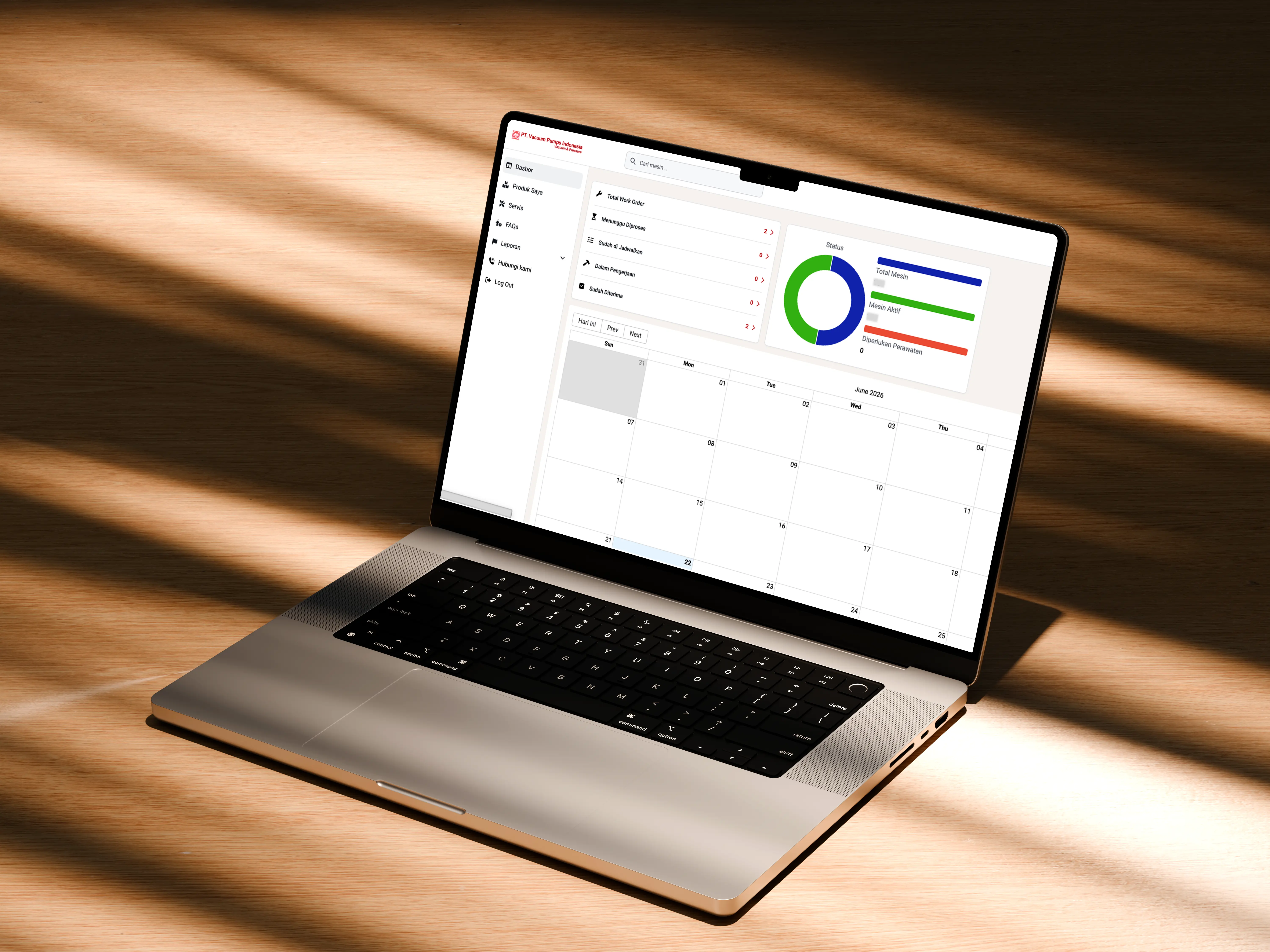
- Created custom Filament admin widgets and dashboard charts displaying equipment health metrics
- Configured Laravel Octane and Horizon queue supervisors
02 — Problems & Challenges
Problems & Challenges
a. Structuring Complex Maintenance Logs
Logging machinery faults involves capturing diverse diagnostic parameters. The challenge was structuring relationships that allow multiple diagnostic reports to lead to multiple service repairs, while maintaining clear records of problem types, causes, and technician notes without polluting the database.
We resolved this by separating checking reports (CheckingReport) from repair actions (Service). The system maps a specific machine instance (UserProduct) to CheckingReport diagnostics. If a checking report identifies a fault, the system initiates a Service record that links back to the report. This decoupled schema allows operators to track a single pump's entire lifecycle from original diagnosis to final repair, while keeping audit trails clean.
b. Preventive Maintenance Scheduling Logic
Developing a reliable scheduling algorithm to predict and alert operators about upcoming maintenance dates was a key challenge. The scheduling system must check multiple pump conditions, track historical wear-and-tear variables, and evaluate active service status changes in real time.
We built a robust scheduling service inside the app. When a technician marks a service as done, the system triggers the ServiceDoneNotification and automatically calculates the next_maintenance_at date based on the pump's operational type and historical service intervals. This date is written to the UserProduct table and displayed on the technician's schedule calendar (react-big-calendar), preventing missed maintenance windows.
03 — Project Goals
Project Goals
a. Minimizing Equipment Downtime
Our primary goal was to minimize equipment downtime by converting manual checksheets into dynamic alerts, allowing operators to spot wear indicators before they cause a critical failure.
We built interactive charts using Filament widgets to trace recurring issues across specific pump models, helping teams address systemic hardware problems before they disrupt production.
b. Streamlining Technician Workflows
We set out to streamline technician workflows by providing a single interface for checklist entries, file uploads (such as nameplate photos), and PDF report downloads, eliminating paper handoffs.
By integrating a unified status pipeline (pending, on progress, scheduled, and done), technicians and managers can track repair tickets from start to finish without manual follow-ups.
04 — Design Process
Design Process
a. Asset Database Modeling
We designed a normalized Star-like schema to handle equipment cataloging and client ownership. The generic Product table stores brand (ProductBrand) and model (ProductType) data, while the UserProduct table maps specific physical pumps to customers.
This mapping isolates generic pump specifications from specific physical attributes (such as serial numbers, acquisition dates, nameplate photos, and operational status), ensuring that updates to a pump model do not corrupt individual machine records.
b. Technician Dashboard UI/UX
We designed the technician user interface around productivity and speed. The dashboard center features an interactive calendar widget (react-big-calendar) that plots scheduled checkups, pending diagnostics, and active repairs in color-coded blocks.
We designed responsive layouts using Tailwind and Flowbite, ensuring that technicians can easily access records on tablets or smartphones while on the factory floor, with quick access to diagnostic metrics and checklist inputs.
05 — Usability Testing
Usability Testing
a. Data Input Validation for Technicians
Technicians often input data under noisy, fast-paced factory conditions, which can lead to incomplete logs or duplicated serial numbers. We built strict validation rule suites to catch input errors immediately.
The system enforces unique serial number constraints on the UserProduct model and verifies fields using regex. In ServiceResource.php, we implemented conditional validation: when a service is marked as "on progress" or "done", the form requires valid SP (Service Proposal) and PO (Purchase Order) numbers, preventing incomplete billing records.
b. Report Generation Accuracy
We designed an automated PDF report generator utilizing TCPDF to compile formal documentation. The system exports check sheets and service summaries into standard formats for legal records and client invoicing.
We engineered TCPDFService to compile HTML view templates into PDFs dynamically. The checking report is generated in portrait orientation (P), while the detailed service report uses landscape orientation (L) to display multi-column analysis tables, notes, and technician signatures without layout clipping.
06 — Prototyping & Handoff
Prototyping & Handoff
a. Internal Server Deployment
To maintain high security, the WebApp is deployed on the client's private intranet server network. We packaged the entire Laravel Octane, Redis, and Horizon environment using Docker Compose containers for easy replication.
We set up automated build scripts and Docker configurations, allowing the client's IT department to spin up staging or production environments with a single command, ensuring a smooth project handoff.
b. Role-Based Access Control [RBAC]
We implemented a strict role-based access control (RBAC) model. Permissions are divided among Administrators, Technicians, and Customers to secure data access.
Administrators manage client profiles and approve final service reports; Technicians write checking logs and update service tickets; and Customers log in to view their active machinery and download completed PDFs. All model queries are protected by Laravel policy classes, preventing unauthorized data access.
07 — Key Takeaways
Key Takeaways
a. Enterprise Asset Management Solutions
This project highlighted the importance of separating generic templates from specific physical assets in industrial applications. This decoupling allows the system to scale, accommodating new brands and models without altering historical logs.
b. Delivering Robust Internal Tools
We demonstrated that internal enterprise tools deserve the same design polish and performance optimization as public SaaS platforms. Delivering a fast, well-designed interface improves user adoption and reduces data entry errors.