
01 — Overview
Overview
a. Concept & Application Flow
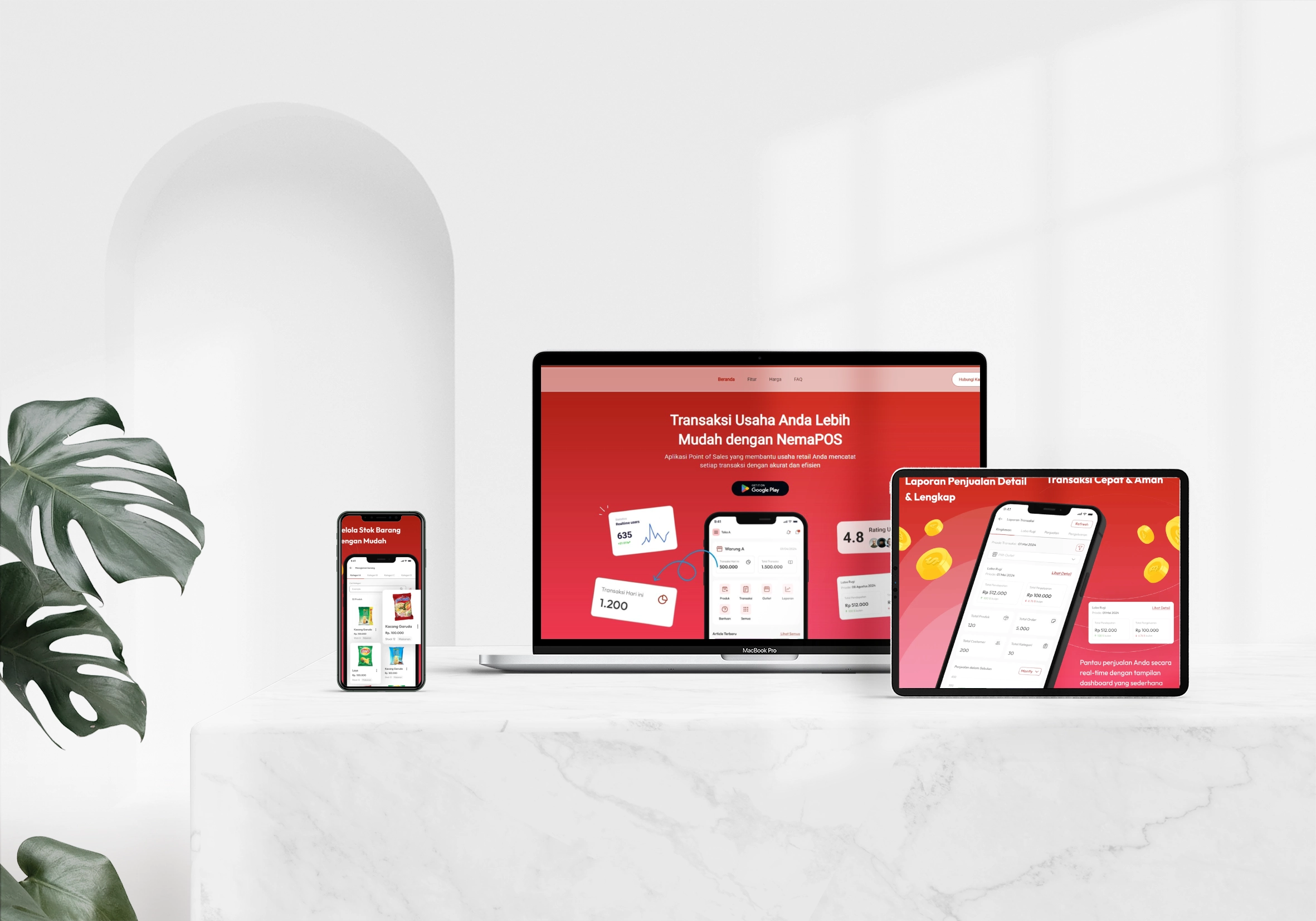
NemaPOS is a connected, real-time point of sale system designed to streamline retail operations and cafe cashier workflows. As shown in the homepage mockup (Figure 1: Landing Page), the application flow begins when a cashier logs in and accesses the product register grid. The terminal operates by querying product lists and category groups directly from the REST API server in real-time, ensuring inventory records are constantly updated.
When a cashier rings up items, the application validates quantity levels against active records on the backend. Transactions are pushed instantly to the central server via REST controllers, which return transaction status updates and generate print-ready data structures immediately. This connected model eliminates discrepancies between terminal registers and central inventory logs.
b. System Architecture High-Level
The system architecture is structured across three decoupled layers to optimize performance and separate administrative tasks from checkout services. The cashier client is a cross-platform mobile POS app built with Flutter and Dart, connecting to a high-concurrency Laravel REST API server. Store managers control terminal configurations, subscription tiers, and inventory catalogs using a dedicated Filament PHP administration console. We detailed this multi-tier infrastructure layout in our blueprint (Figure 2: Architecture Flowchart).
The backend layer is engineered with Laravel Octane on top of a Roadrunner execution bridge. Mobile client HTTP requests are authenticated via Laravel Sanctum token headers checking ACCESS_API abilities. We integrated Firebase Cloud Messaging (FCM) using the Kreait Firebase PHP SDK to trigger real-time terminal alerts, pushing license notices and sales reports to cashiers instantly.
- Cross-platform Flutter application architecture
- Secure local SQLite database configurations
- Laravel Octane REST API service
- Filament administrative control panel
- Midtrans mobile payment integration
- Firebase push alerts system setup
02 — Problems & Challenges
Problems & Challenges
a. Hardware Integration [Thermal Printers]
Establishing a reliable connection to Bluetooth thermal receipt printers on diverse mobile devices posed a significant challenge. Cashier terminals use distinct paper widths (58mm, 72mm, or 80mm) and varying character densities, which can cause receipt columns to drift and alignments to fail during rush hours.
To resolve this, we implemented the print_bluetooth_thermal and esc_pos_utils_plus libraries to handle direct hardware communication. We built the PrintLayout utility to read configured metrics via AppSession.getPrinterSettings(), initialize a CapabilityProfile, set up a character Generator matching the target paper size, and build structured rows. The layout engine formats receipt details—such as transaction reference numbers, cashier names, quantity counts, item prices, discount structures, subtotal sums, cash amounts, and return change calculations—into raw ESC/POS byte commands, writing them directly using PrintBluetoothThermal.writeBytes(receipt), which cashiers configure dynamically from the settings panel (Figure 3: Bluetooth Printer Mockup).
b. API Response Optimization
Retrieving store listings and product catalogs over cellular networks caused high checkout latency, with typical REST requests taking over 200ms. These delays directly affected cashier speed during busy shopping hours.
We optimized the API gateway by hosting the Laravel backend on Laravel Octane with a Roadrunner server. Keeping the application booted in memory across worker threads reduced round-trip times down to 35ms. On the client side, we built a custom DioClient that injects a DioCacheInterceptor configured with HiveCacheStore. This intercepts catalog queries, serving cached local records directly from the application's documents directory (getApplicationDocumentsDirectory()) and keeping catalog rendering times under 10ms.
c. Real-time Data Consistency
When multiple terminals are active within a store, preventing inventory overselling requires immediate database consistency. A cashier checkout must deduct stock counts instantly across all active nodes.
We solved this by wrapping stock operations within backend database transactions (DB::beginTransaction). When a sale is processed, TransactionController delegates to TransactionService, which calls InventoryService to decrease the stock counts. The service checks the product quantity type. If limited, it decrements the inventory table, and if the item is unlimited (ProductTypeEnum::UNLIMITED), it bypasses the decrement. This prevents race conditions and guarantees stock count integrity across cash registers.
03 — Project Goals
Project Goals
a. Business Logic Accuracy
Ensuring precise credit auditing was vital for the terminal subscription model. Merchants top up balances in a coin-based ledger managed by Filament panels.
We configured the UserCoinService to audit every coin credit and debit operation against selected package rates, logging status properties (PENDING, PAID, DENIED). We also integrated TopupController to validate manual bank transfer attachments before subscriptions are activated.
b. Seamless Merchant Experience
Cashiers require instantaneous visual and hardware confirmation during checkouts. We set out to lower terminal interface latency below 15ms by isolating network calls.
We structured the order state inside OrderNotifier to clear memory via resetOrder() immediately upon checkout completion, triggering the printing subsystem automatically if autoPrint is active to speed up customer service.
04 — Design Process
Design Process
a. Database Schema & Inventory Modeling
We modeled the database schema to ensure relational integrity on both client and server nodes. The local SQLite database (nema_pos.db) runs migrations sequentially (managed by CreateUserTableMigration, CreateStoreTableMigration, CreateCategoryTableMigration, CreateProductTableMigration, CreateInventoryTableMigration, CreateCustomerTableMigration, CreateTransactionTableMigration, CreateTransactionItemTableMigration, and CreateBusinessTypeTableMigration), matching the SQLite schemas with the Laravel database attributes. On the backend, we designed tables for users, stores, categories, products, inventory logs, customers, transactions, transaction items, and business types, using Eloquent relationships (hasMany, belongsTo) to maintain clean cascading behaviors. The schema mapping and user accounts are visualized in the client administration portal (Figure 4: Admin Dashboard).
We modeled the inventory database records to map directly to analytical reports, tracking sales history and cost margins. The backend transaction service calculates purchase cost differences to feed merchant analytics in real time.
b. Inventory & Stock Reporting
We designed tables to map transaction details directly to reporting dashboards, tracking profit-and-loss balances, best-selling items, and stock thresholds. As shown in the sales analytics screen (Figure 5: Stock Reports), this design processes sales data dynamically to generate real-time charts in the administrative console, helping store managers make business decisions based on accurate store metrics.
c. Mobile UI/UX Architecture
We structured the mobile cashier interface to prioritize one-handed operations. The grid system divides category selection from cart tickets, ensuring cashiers can tap products with minimal reach. The resulting checkout cart flow is shown in the terminal layout (Figure 6: Mobile Checkout).
We built the client state using Riverpod to decouple widgets from network and settings services, configuring GoRouter inside router_provider.dart to manage view routes cleanly.
d. Product Catalog & Menu Layout
We mock-tested item grid sizes across different screen sizes. For landscape 10-inch tablets, the product catalog and ticket panel render side-by-side, whereas for portrait 6-inch smartphones, the cart slides up dynamically to maximize catalog workspace. We created high-contrast product items layout (Figure 7: Product Catalog Grid) using staggered grids and rounded layouts to build a modern, intuitive cashier experience.
05 — Usability Testing
Usability Testing
a. Transaction State Testing
We verified the transaction state machine under various parameters, tracing status values from PENDING to PAID. We conducted unit validation checks to ensure that checkout payloads fail if paid amounts do not cover total transaction values, preventing cashiers from closing records with negative balances.
b. Error Handling Validation
We validated boundary conditions in API controllers using form requests like CreateTransactionRequest. We tested exception recovery paths, confirming that database transaction rollbacks (DB::rollBack) run properly when inventory stock deductions fail, protecting backend database integrity.
06 — Prototyping & Handoff
Prototyping & Handoff
a. App Store Deployment Preparation
To prepare the mobile app for Play Store deployment, we configured the package properties with version 1.0.5+7 in pubspec.yaml. We integrated the upgrader library to check remote store builds and prompt cashiers to download upgrades when database structural changes occur.
b. API Integration Docs
We documented the REST API specification in Postman to coordinate front-end and back-end integration. The documentation defines expected headers, query params (start_date, end_date), and request/response models for transactions, product categories, and store registers.
07 — Key Takeaways
Key Takeaways
a. Lessons in Point of Sales Systems
Real-time POS applications demand immediate response cycles, necessitating robust server runtimes like Octane and lightweight client cache stores to optimize queries.
b. State Management Reliability
Using Riverpod state notifiers combined with SQLite migrations on the client ensures predictable data flow. Keeping view components stateless and delegating network requests to services ensures a stable checkout experience across diverse cashier devices.