
01 — Overview
Overview
a. Concept & Value Proposition
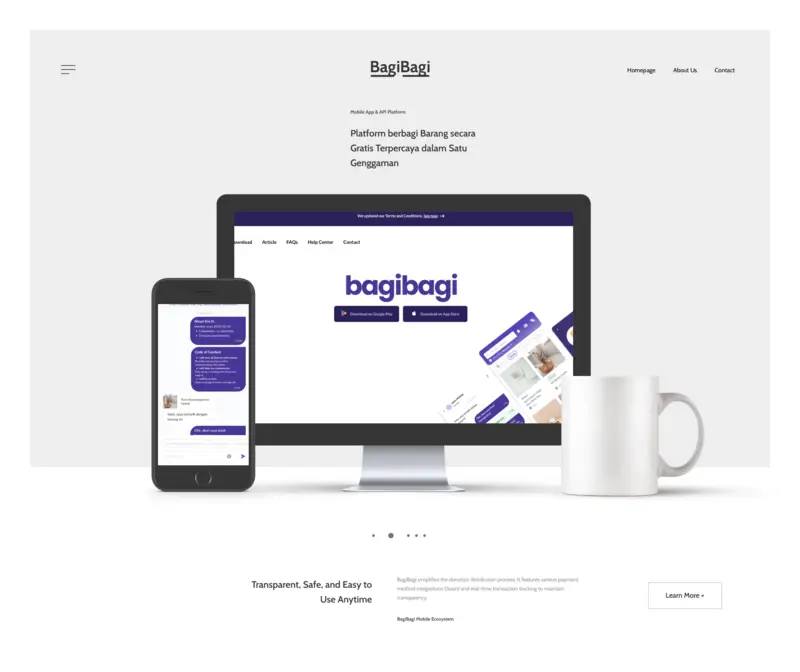
We designed BagiBagi to address the issue of consumer waste by offering a sustainable C2C sharing network under the Indonesian slogan: "Ngapain Beli Kalau Bisa Gratis?" (Why buy if you can get it for free?). As the first mobile app in Indonesia dedicated to giving and receiving items without charge, the platform connects donors looking to declutter with neighbors looking for specific secondhand items.
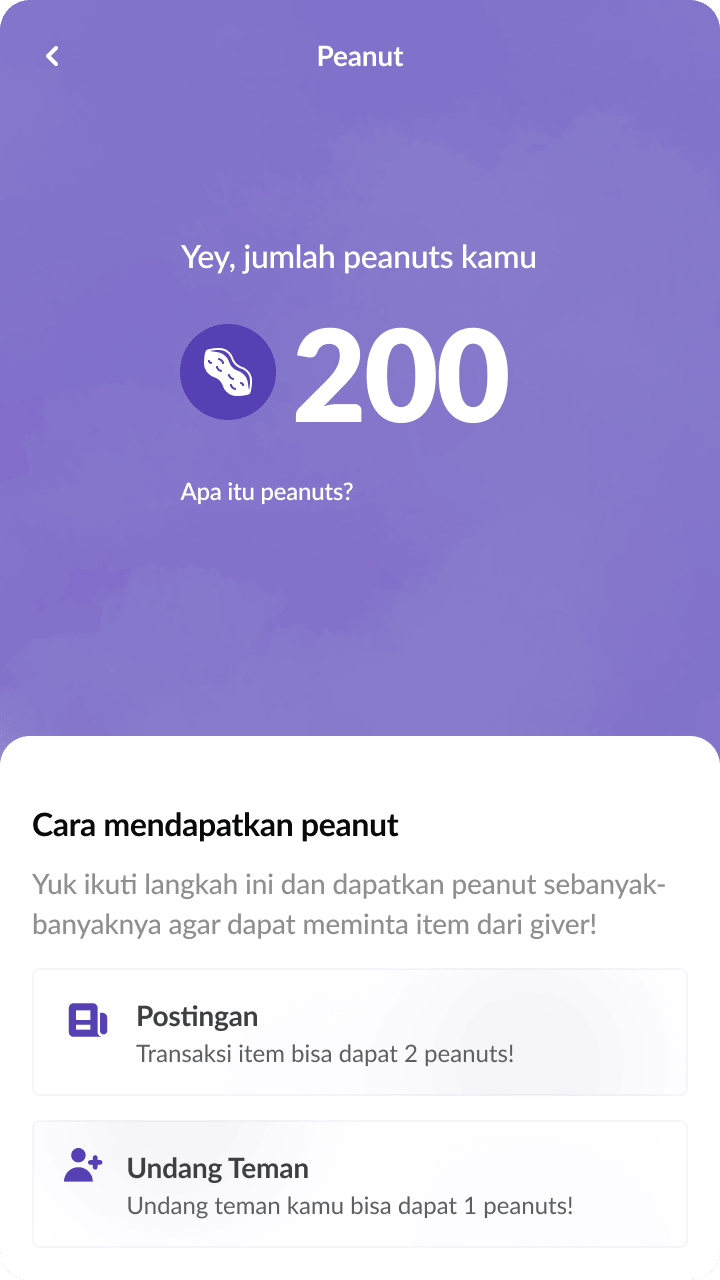
To discourage hoarding behavior and ensure a self-regulating ecosystem, we engineered a gamified token economy. Claimants must spend a "Peanut" token to initiate contact, while donors earn tokens by listing items or inviting users. We backed this economy with a secure ledger (peanute_transactions) to audit transaction histories. Users can view their transaction statement history and details directly on the Peanut Info dashboard layout (shown in the mockup).
b. Cross-Platform Architecture
We built a decoupled, API-first system consisting of two primary repositories: the Laravel backend (bagibagi-api) and the Flutter mobile client (bagibagi-mobile). The backend API is powered by Laravel 12 and Laravel Octane running on Roadrunner, allowing high throughput and fast query executions.
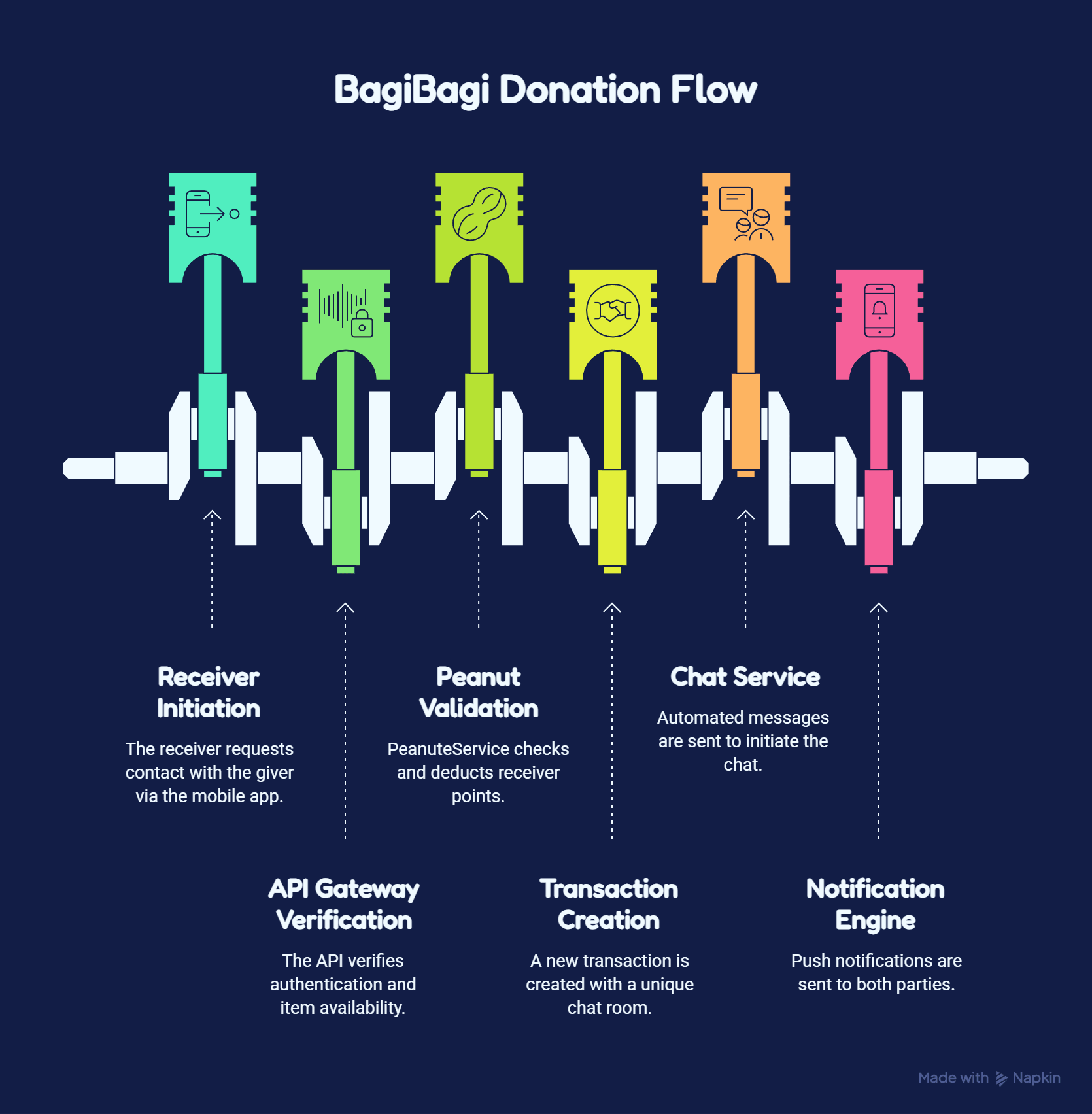
The Flutter mobile app acts as the user-facing client. It fetches proximity-aware product lists via Dio, establishes real-time websocket connections through Pusher channels (using the dart_pusher_channels library) for chat notifications, and displays nearby listings over an interactive map using flutter_map and open-source OpenStreetMap layers. Our team mapped this interaction flow in the visual architecture diagram (shown in the mockup) outlining the request-to-delivery handshake.
- Architected and coded the entire system end-to-end as a senior engineering team
- Implemented Laravel 12 API with Octane and Roadrunner for sub-50ms response latency
- Designed custom spatial query pipelines using PostGIS and Laravel Magellan for local radius feeds
- Configured location obfuscation to shield exact addresses while preserving 10km proximity search
- Developed Flutter client with Riverpod state management, OpenStreetMap, and Pusher WebSockets
- Created a gamified token system centered on a secure PostgreSQL ledger (PeanuteTransaction)
- Built administrative moderation workspace using Filament v3.2 resource panels
- Managed complete build, testing, and release cycle on Google Play Console and App Store Connect
02 — Problems & Challenges
Problems & Challenges
a. API Security & Payload Optimization
With mobile clients fetching media-heavy feeds, serving unoptimized images and complex geo-coordinates would result in slow page loads and high bandwidth costs, particularly on unreliable cellular networks.
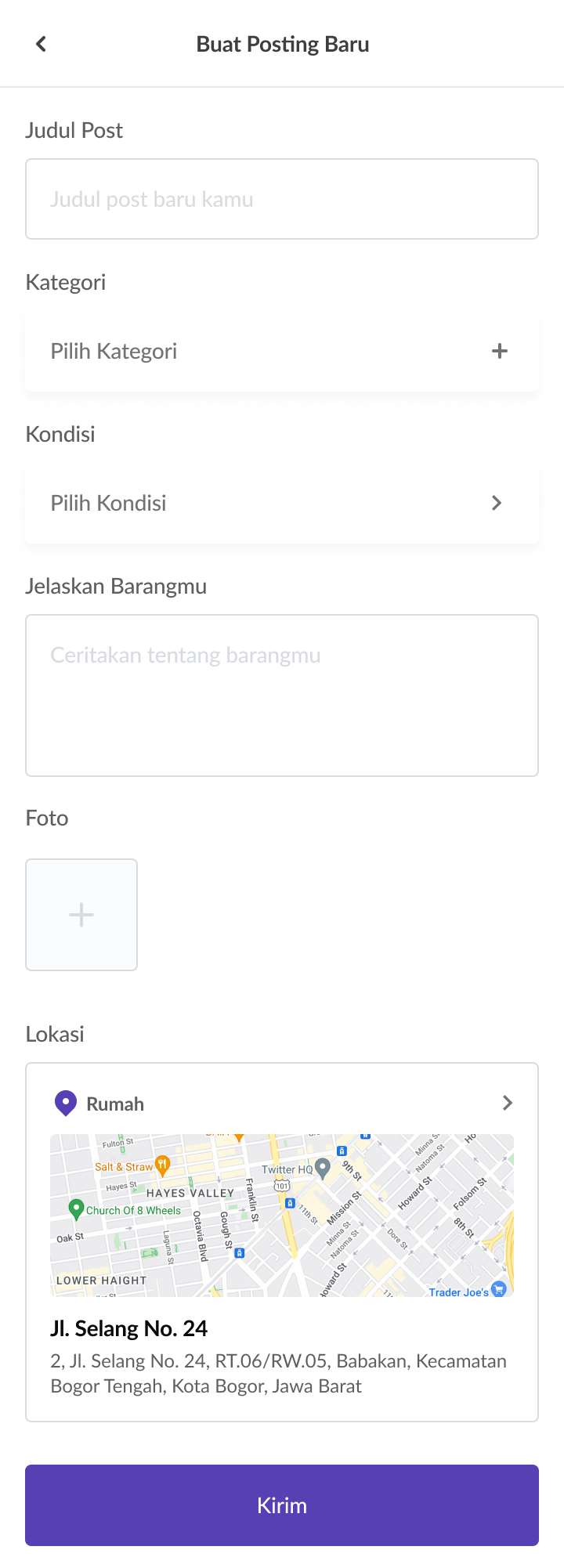
We solved this by writing a centralized image handler (File helper trait) using the Intervention/Image manager with GD Driver on the backend. When a user uploads photos via the item creation wizard (shown in the mockup), the Laravel backend saves the original copy and generates a 200x200px thumbnail stored on AWS S3. The API controller responds with lightweight serialized payloads, decreasing data usage by over 60%.
b. Mobile State Management
Handling location checks, active map markers, live chat webhooks, and push notifications within a single UI scope risked creating high technical debt and UI lags.
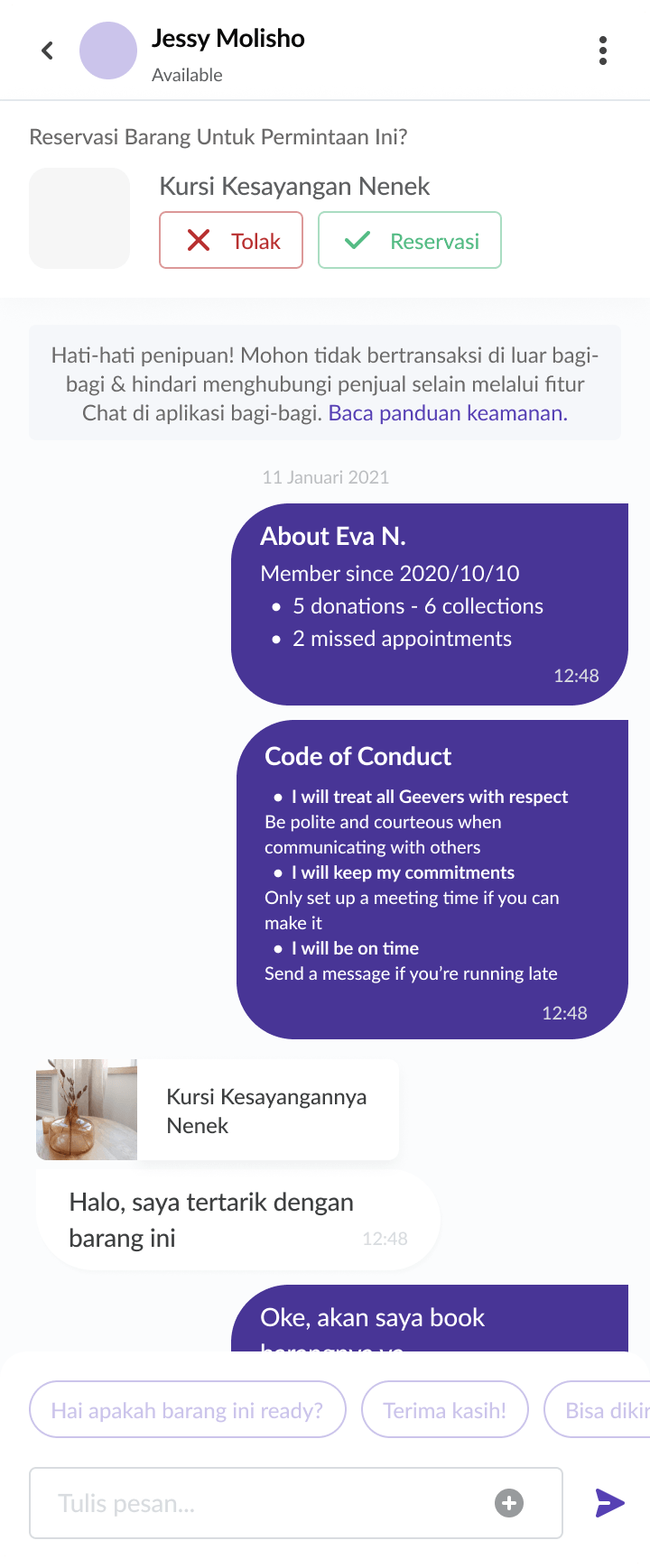
We addressed this by structuring the Flutter application with Riverpod. We built location providers that monitor device updates, trigger nearest product queries using Laravel Magellan, and reload coordinates dynamically. Websocket events are tied to state providers to refresh unread message badges without forcing screen rebuilds. The real-time chat interface (shown in the mockup) updates instantly when a new event is received.
c. App Store Compliance
Releasing a location-reliant app to the Play Store (id.dottie.bagibagi) and App Store (id6749220936) required adhering to strict guidelines on background tracking, user privacy, and user-generated content (UGC).
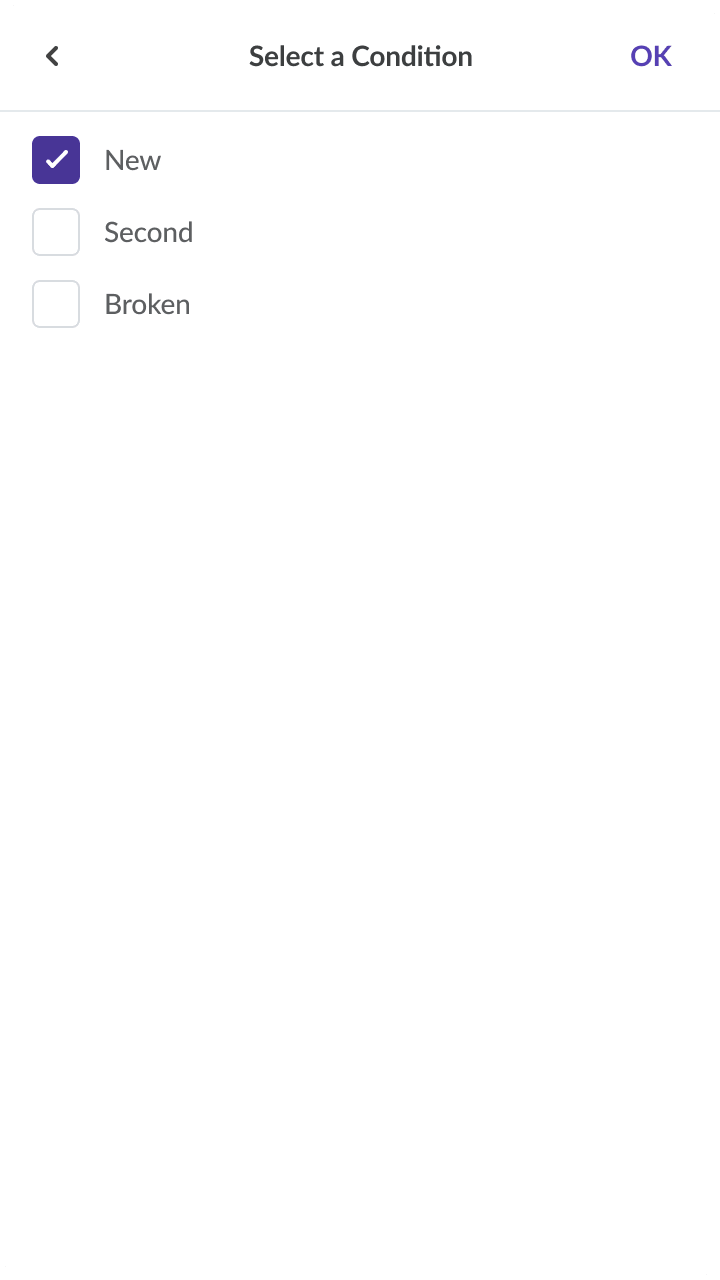
We passed the review process by keeping location services strictly foreground-only and using PostGIS to check proximity without exposing exact coordinates. The backend runs geographic lookups using ST_DWithin against a 10km (10000m) limit, rendering item pins with randomized coordinate offsets. We also built user-reporting tables (reports and report_items), Firebase SMS OTP flows, and standardized bottom sheet condition selectors (shown in the mockup) to filter and moderate listings.
03 — Project Goals
Project Goals
a. User Engagement
Our goal was to create an interactive discovery feed that makes browsing secondhand items intuitive. We built a mapping layer that dynamically adjusts lists as the user pans around.
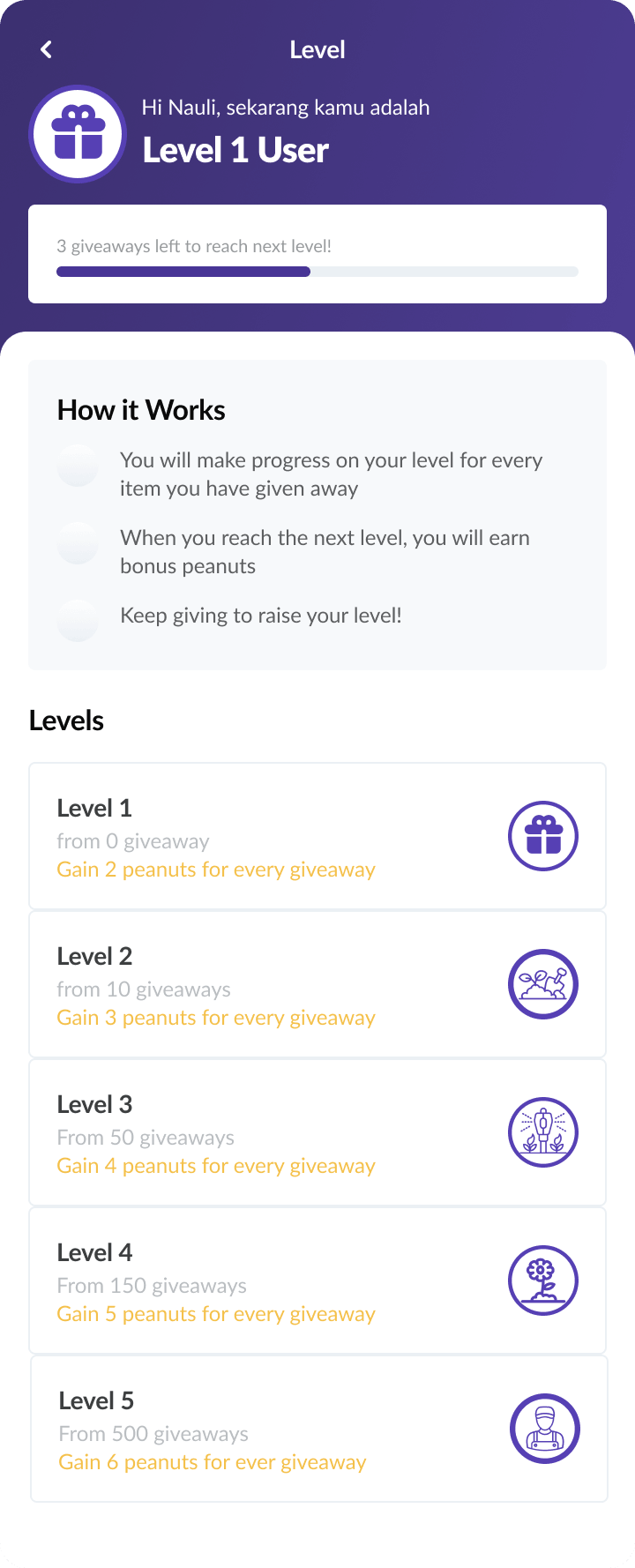
By using PostgreSQL index optimizations, the spatial query sorting runs instantly, keeping users engaged with fresh, nearby donations. We integrated gamified level systems (shown in the mockup) with progressive rewards to motivate users to donate frequently.
b. Seamless Transactions/Sharing
We wanted to design a transactional flow that remains transparent. Claimants need immediate confirmation when a giver accepts a request.
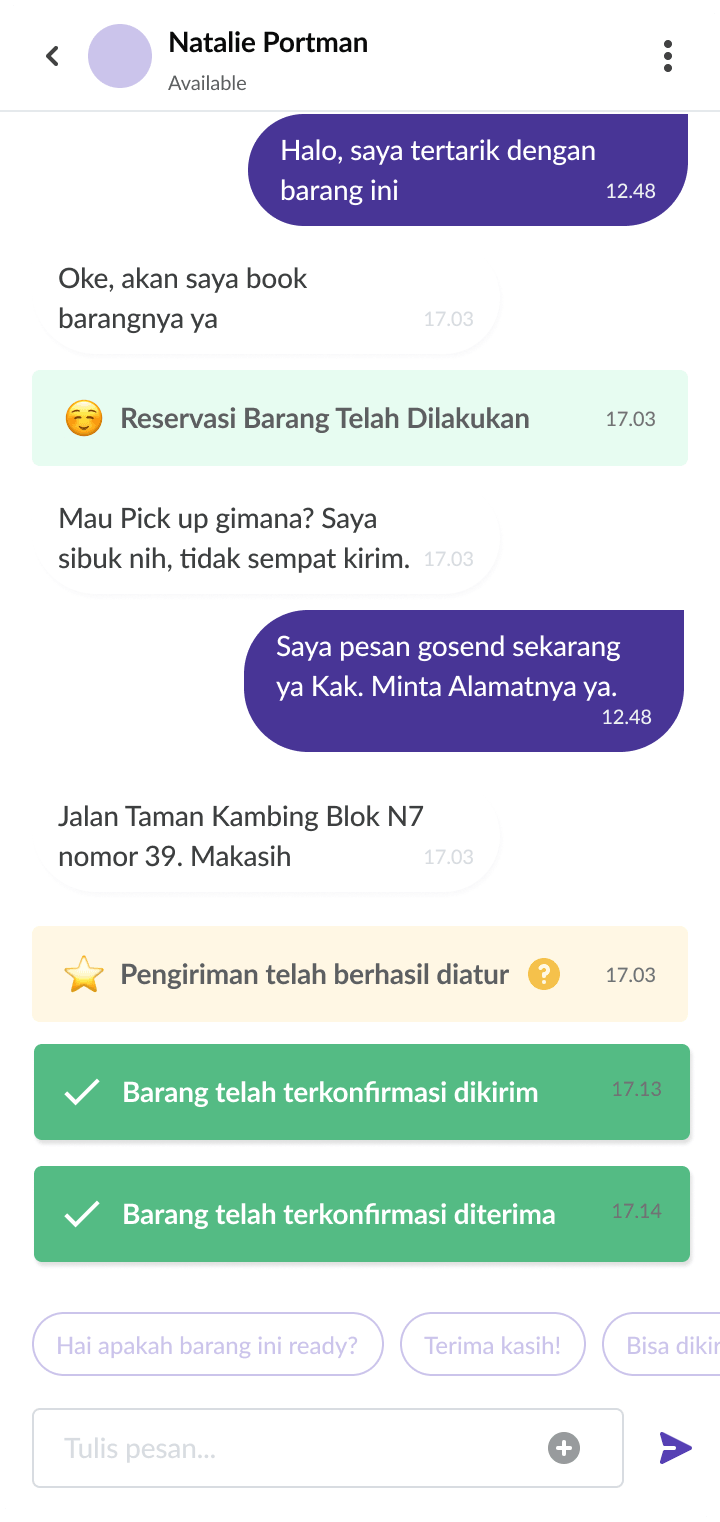
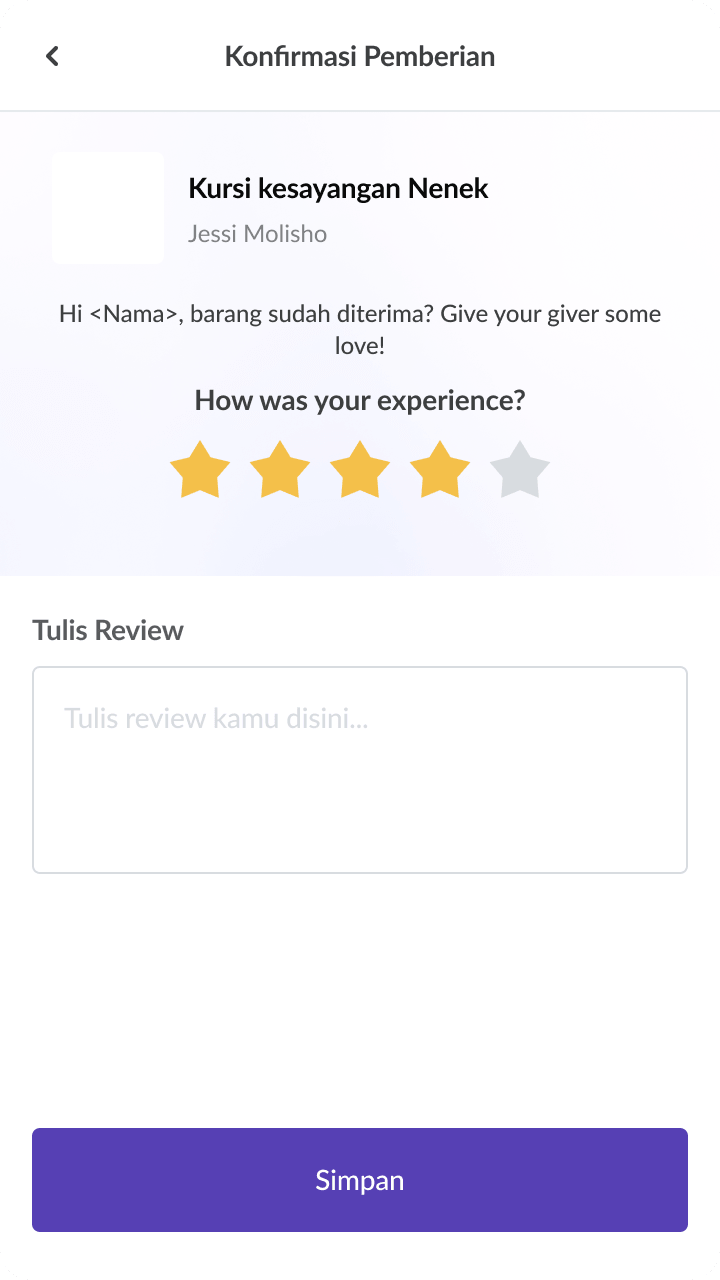
We implemented transaction states (from STARTED, to RESERVED, and finally SHIPPED or RECEIVED) wrapped in Laravel DB transactions, pushing websocket alerts and background notification updates. Users are notified with a clear confirmation state (shown in the mockup) when the receiver marks the item as received.
04 — Design Process
Design Process
a. Backend Schema & Filament Admin Panel
We modeled the database using PostgreSQL with PostGIS extensions. The schema defines tables for products (containing peanute_free flags), product_images, addresses (with spatial geometry points), and peanute_transactions to track token audits.
For administration, we built Filament v3.2 resource workspaces. These workspaces allow administrators to view user statuses, review flagged reports, manage settings, and analyze audit logs securely.
b. Mobile UI/UX Flow — Home Screen
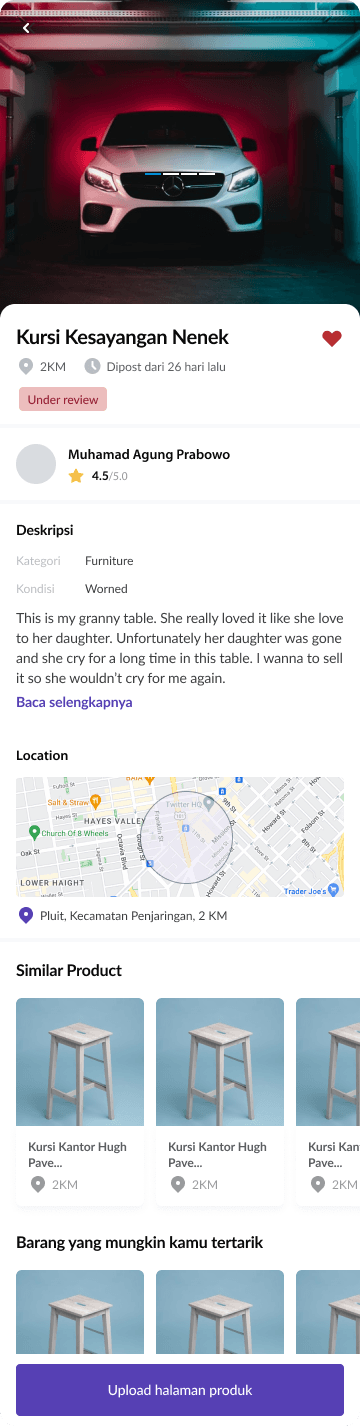
We designed wireframes in Figma mapping the posting flows. Users select categories, input conditions, add up to 5 photos, and pick locations.
We translated these wireframes into Flutter screens using deep styling, card layers, and page routing configured in GoRouter. The preview screen (shown in the mockup) allows users to audit listing details prior to publication.
c. Mobile UI/UX Flow — Feature Screen
We custom-tailored the application layouts for both Android and iOS devices, ensuring map panels, slide-up drawers, search sheets, and chat bubbles fit screen constraints. We built custom dialog layouts (shown in the mockup) to prompt users for ratings and reviews at the close of an exchange.
05 — Usability Testing
Usability Testing
a. Cross-Device UI Testing
We tested the Flutter build across mobile devices to verify scrolling performance. We integrated cached network images with custom cache managers to prevent memory bottlenecks.
We verified map controls and overlays, verifying that custom markers do not degrade rendering framerates during map pans.
b. API Integration Handling
We wrote exception handling to process network drops. We configured local key-value databases in Hive, letting the client render cached records when the device is completely offline.
We integrated Sentry and GlitchTip to monitor exception stack traces in real time, capturing details like auth states, user tags, and device metadata.
06 — Prototyping & Handoff
Prototyping & Handoff
a. Production Deployment
We deployed the Laravel backend on AWS behind a Roadrunner service wrapper. We set up GitLab CI/CD pipelines to build Docker containers, run tests, and run migrations on push.
We set up horizontal scaling configurations, ensuring database connections reuse pools efficiently and storage paths map to AWS S3.
b. App Store & Play Store Release
We configured build processes for deployment. We compiled and signed release bundles (aab and ipa) using proper obfuscation to secure intellectual property.
We managed the submission processes on Google Play Console and App Store Connect, setting up privacy policies, location permission justifications, and app demonstrations to comply with store review requirements.
07 — Key Takeaways
Key Takeaways
a. Lessons in Cross-Platform Publishing
Releasing a geo-location app highlights the need for strict compliance with data regulations. Structuring location obfuscation early avoided rewrite cycles during reviews.
b. Full-Stack Optimization
Decoupling map marker queries and utilizing Hive storage on mobile is critical. Keeping payloads lightweight through spatial query filters is key to system efficiency.